IronFrame
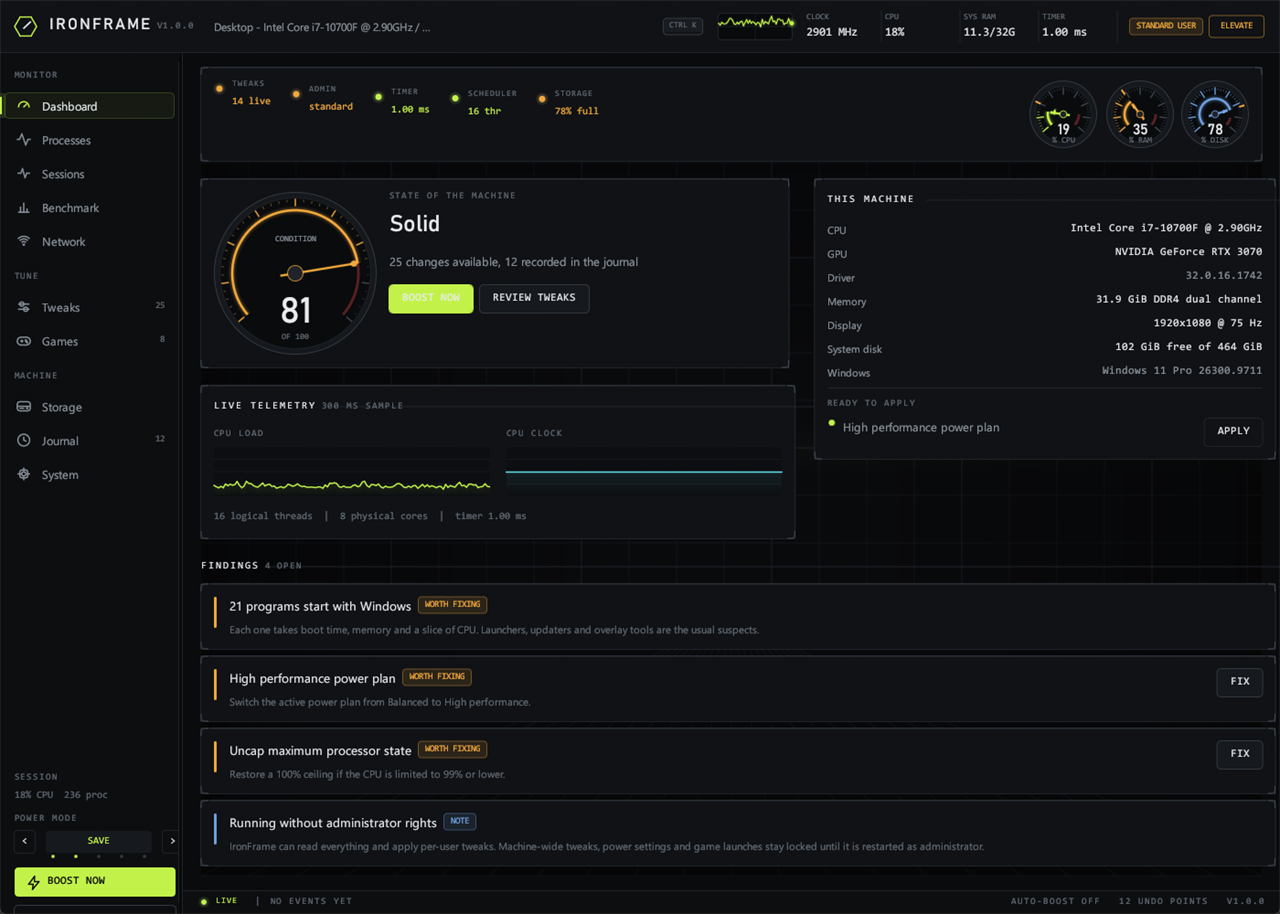
A Windows gaming optimiser with five power positions, from a 40% ceiling to active cooling, that probes every change before it makes it and can undo each one exactly.
Most tools of this genre apply a fixed list of registry tweaks, print a green checkmark and
call it a day. IronFrame is built the other way around: every tweak reads the current value
first, so nothing is applied blind and nothing is applied twice, and the row shows what it
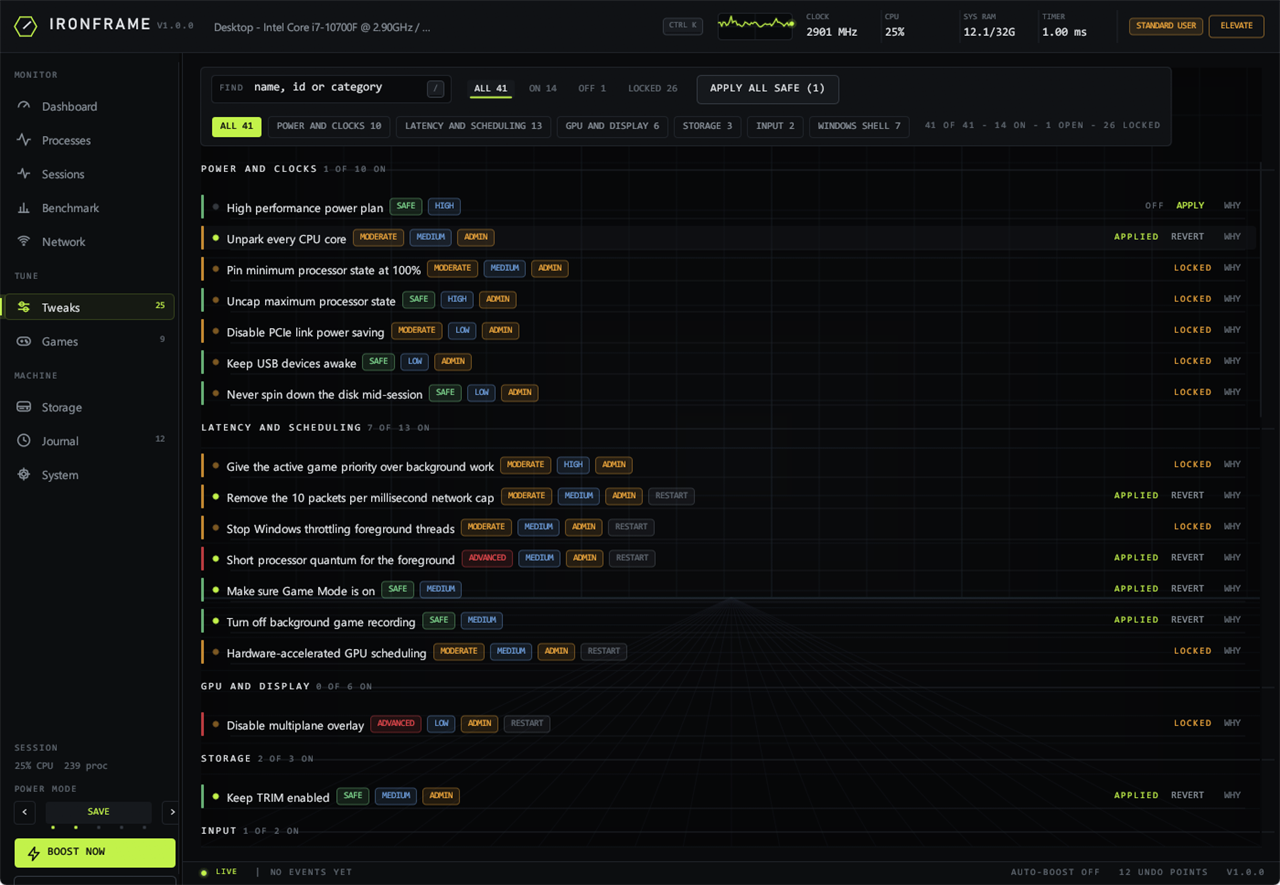
found next to what it wants (SystemResponsiveness = 20 (want 0)). Each change is
written into a journal before it happens, so "revert everything" restores the machine even if
the catalogue changed in a later version.
The catalogue is 41 tweaks across power and clocks, latency and scheduling, GPU and display, storage, input and the shell, each with a written explanation of the mechanism and its cost, and each with a rule about where it belongs: a laptop on battery does not get "pin the CPU at 100%", an AMD card does not get NVIDIA driver keys. Alongside it sits a live process table with permanent per-program priority and core rules that survive a reboot, a game library with profiles and auto-boost, a benchmark suite that measures its own noise before claiming a win, and a network test with jitter and loss.
One stepper sets how much of the machine a session may spend, in five positions: Super save holds the processor to 40% on mains and 25% on battery with passive cooling and disks allowed to sleep; Power save lifts that to 60/40; Balanced removes the ceiling; Full speed takes the high performance plan, unparks the cores, pins the minimum processor state on mains and sets boost to Aggressive; Super speed adds active cooling so the fan moves before the clock does, and pins that minimum state on battery too. Full and Super also set the vendor's own switch for the card in the box - NVIDIA's maximum-performance power mode and dynamic P-state off, or AMD's ULPS off - and hand them back when you step down. Every move is journalled, so dropping to Balanced actually drops the card back with it.
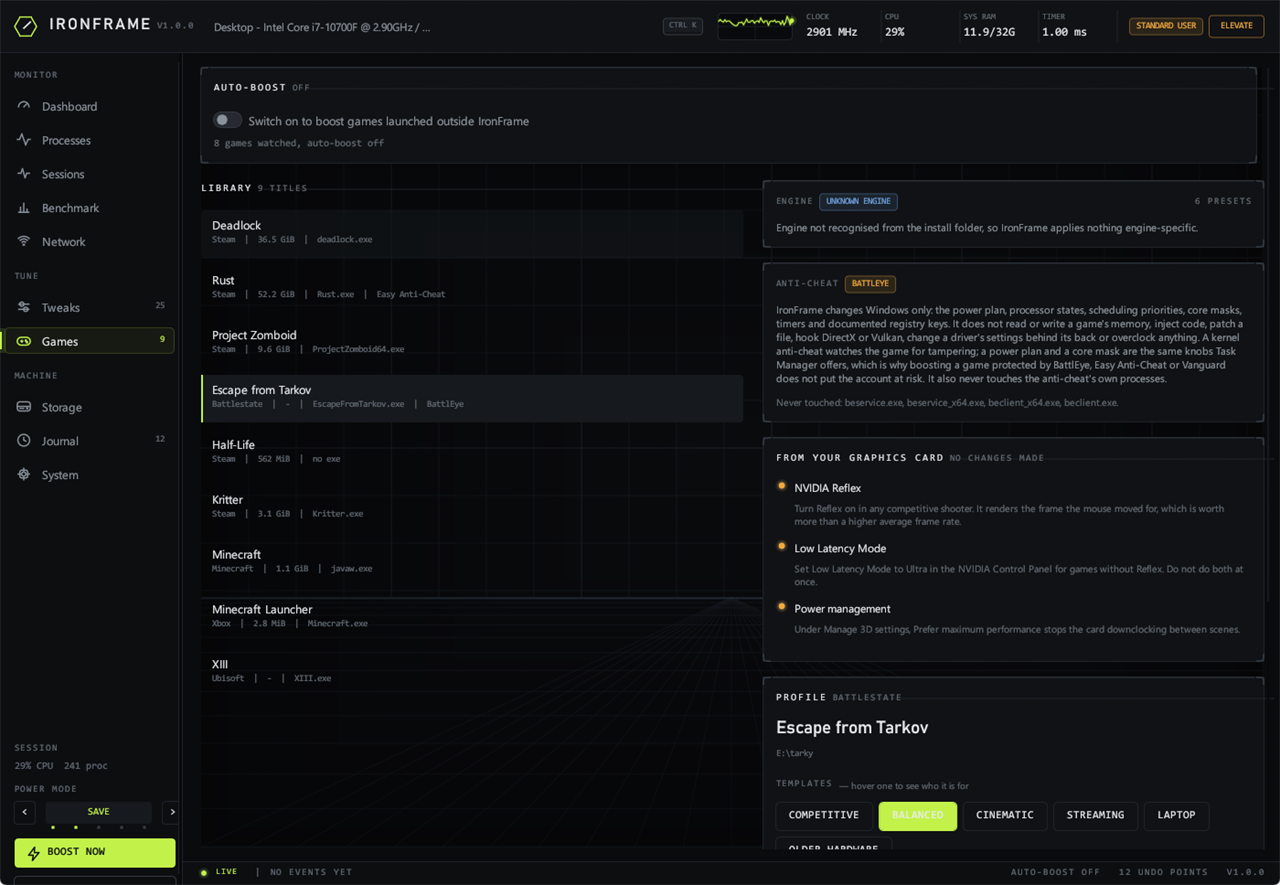
Nothing here overclocks, and nothing touches a game. It changes Windows: the power plan, processor states, scheduling priorities, core masks, timers and documented registry keys - the same knobs Task Manager and the power control panel expose. The game library says which anti-cheat guards each title and what that means: Escape from Tarkov shows up as BattlEye, and the card next to its profile states in plain words that IronFrame never reads or writes a game's memory, injects code, patches a file or hooks a graphics API, and never touches the anti-cheat's own processes. Boost it, and the only thing that changed is how Windows schedules the game.
The Games page also carries the advice that belongs in the driver, not in a tweak: on an NVIDIA card, Reflex in-game, Low Latency Mode for the titles without it, and Prefer maximum performance under Manage 3D settings; on AMD, Anti-Lag on and Chill off, with Smart Access Memory checked in Adrenalin. It reads the card you actually have, so an AMD machine is never told to open the NVIDIA Control Panel.
- Five power positions, from a 40% ceiling to active cooling at every clock.
- 41 tweaks, each probed first, explained and individually reversible.
- A complete undo journal: previous value, type and bytes, per change.
- Anti-cheat named per title, with the Windows-only promise beside the boost.
- Process rules and ProBalance: keep a program at a priority and a set of cores.
- It can report "no measurable effect" about its own tweaks, and does.
One file, no installation and no runtime to install beside it. Windows will warn about an unknown publisher because the build is unsigned: More info, then Run anyway. Click ELEVATE in the title bar to restart it as administrator; machine-wide tweaks, the power settings and the per-process rules stay locked until you do, and the app says so instead of failing quietly.